Share Progress Cards, Free Needs Lists, and “I Have These” Responses
Today is all about showing off your collection and closing trades faster. Share Progress now generates a card that is actually worth posting, needs lists are free for everyone, and — the big one — anyone viewing your needs list can now check off the cards they have and send them straight to your notifications, Discord username attached.
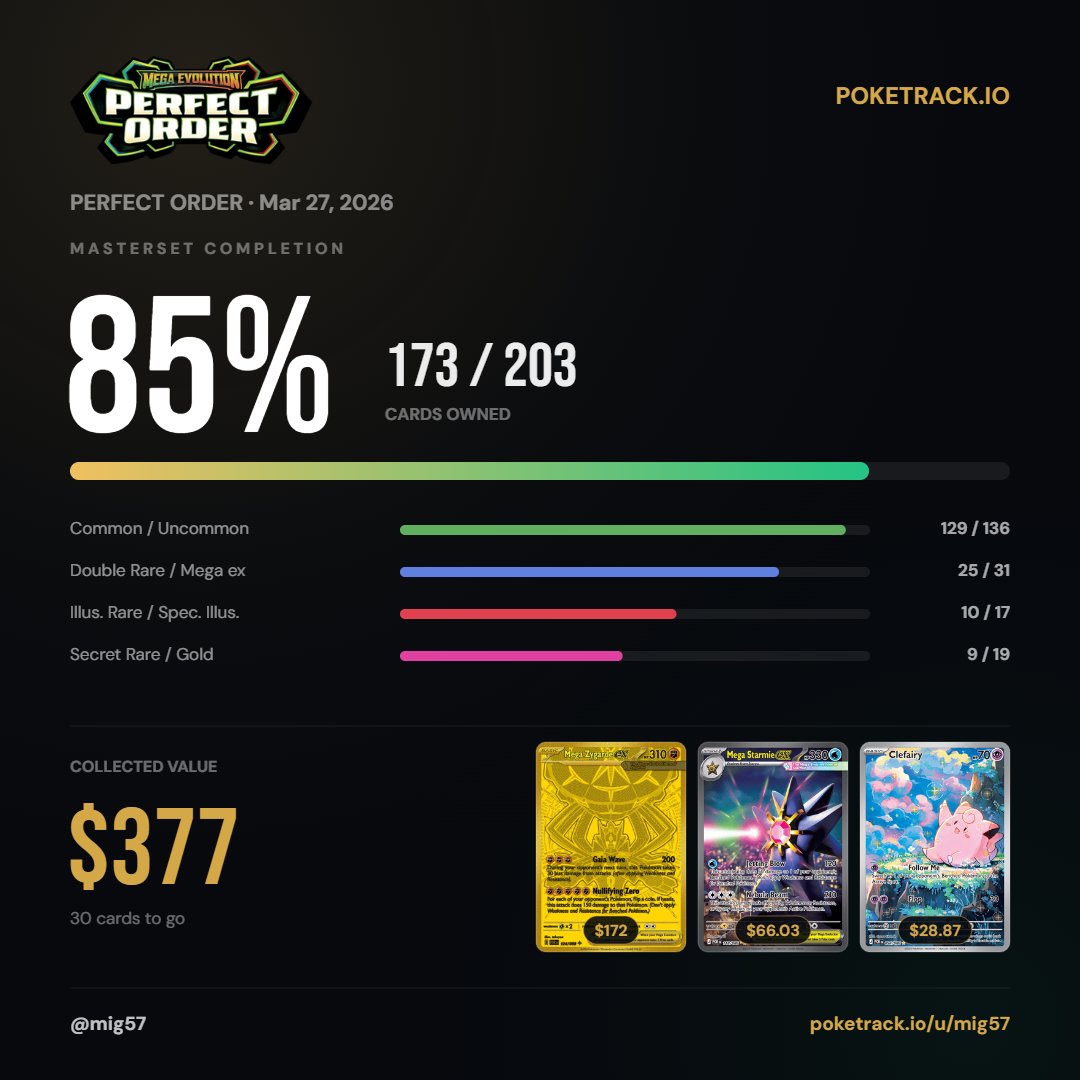
A share card worth posting
Tap Share Progress on any set and PokeTrack builds a square card made for Discord and social: your set logo, a huge masterset completion percentage, your rarity-by-rarity breakdown, the total value you have collected, and actual images of your top chase cards with their prices. Your username and profile link sit at the bottom, so every share doubles as an invite to your public profile. Use the native share sheet on mobile, or copy and download the image directly — plus a prefilled caption for the text-only paste.
Needs lists are now free for everyone
Generating a shareable needs list for a set no longer requires Pro. Every collector can publish their list at a public link, and those links now unfurl with a preview on Discord showing how many cards you need and the estimated cost to finish the set. The pages got a visual refresh and link back to your full profile.
Viewers can check off cards they have
This is the one we are most excited about. When someone opens your needs list, every card row is now tappable. They check off the cards they own, add an optional message, choose whether to share their Discord username, and hit send. You get a notification in the app — who they are, which cards they have, and how to reach them on Discord. The conversation starts where it should: with both sides already knowing the trade is real.
How responses reach you
Responses land in the notification bell inside PokeTrack: the responder, the count, up to four card names, their message, and their Discord username if they shared it. Tapping the notification jumps you into that set. Responding requires a free PokeTrack account — and if a viewer checks cards before signing up, their selection survives the signup and is waiting for them on the other side.
Open any set in PokeTrack and tap Share Progress. You get a square card with your completion percentage, rarity breakdown, collected value, and your top chase cards — share it with the native share sheet, copy it, or download the PNG.
Yes. Generating and sharing a needs list for any set you track is free for every PokeTrack account. The public link works for anyone, no account needed to view it.
Anyone viewing your needs list can tap the cards they own and send you a response with an optional message and their Discord username. It arrives in your notification bell inside PokeTrack.
Viewing a needs list is open to everyone. Sending a response requires a free PokeTrack account — if you check off cards first, your selection is saved through signup so you do not have to redo it.